




See how a Brisbane law firm saved approximately 3 hours per matter using Smarter Drafter...
 ·
2 minute read
·
2 minute read
We’re rolling out a series of improvements designed to enhance form security and make the intake experience faster, clearer, and more intuitive for both senders and recipients.
These updates focus on two key areas: strengthening security across all forms and significantly improving how Intake forms work with matters, contacts, and submissions.
If you're using Intake Forms today, there's nothing for you to action. We just want to give you an early notice.
We've summarised the upcoming changes below:
Enhanced Security for All Forms
We’re introducing additional background security checks whenever a user accesses a link to a form in progress. These enhancements strengthen our overall security and help ensure that forms are only accessed by the intended recipients.
As part of this update, forms that are already in progress will no longer open in a new browser tab. This change not only supports the new security checks, but also improves the overall user experience. Clear navigation options will be available so users can easily return to the form during completion or after submission.
Intake Forms with One-Time PINs
To further protect sensitive information, all Intake form links will now require a one-time PIN (OTP).
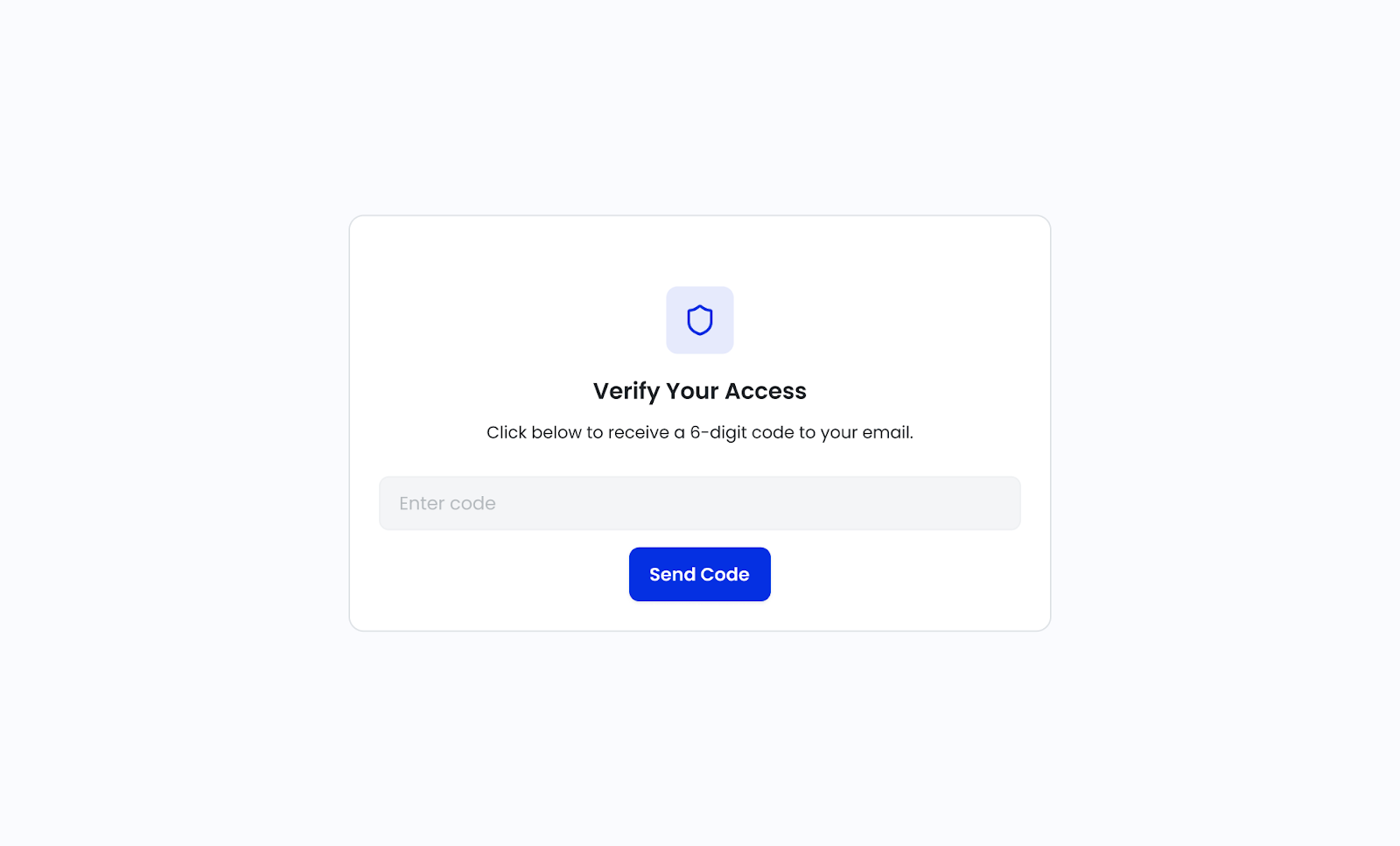
When a recipient clicks a shared intake link, whether directly or from an email, they’ll first be prompted to request a verification code. That code is sent to the email address specified when the intake form was sent, ensuring that only the intended recipient can access the form.
This added layer of verification helps safeguard client data while keeping the process simple and familiar for recipients.
Intake Forms Now Support the Matter Record
We’re also expanding the capabilities of Intake forms to better integrate with matters and matter records.
From the Form Library, you’ll now be able to add a matter when sending an intake form. Linking an intake to a matter allows you to leverage matter records to automatically populate known information, reducing manual entry and speeding up the process.
When sending an intake form, you’ll be prompted to choose between:
-
Sending with pre-filled answers, or
-
Sending with blank answers
If you choose to send with pre-filled answers, the matter record will be activated and you’ll have the opportunity to review and manually complete any known data before sending the form to the recipient.
If you choose to send with blank answers, the form won’t open or load data. Instead, you’ll simply enter the recipient’s details and send the form immediately—saving time and eliminating unnecessary clicks.
Recipient Selection and Mapping
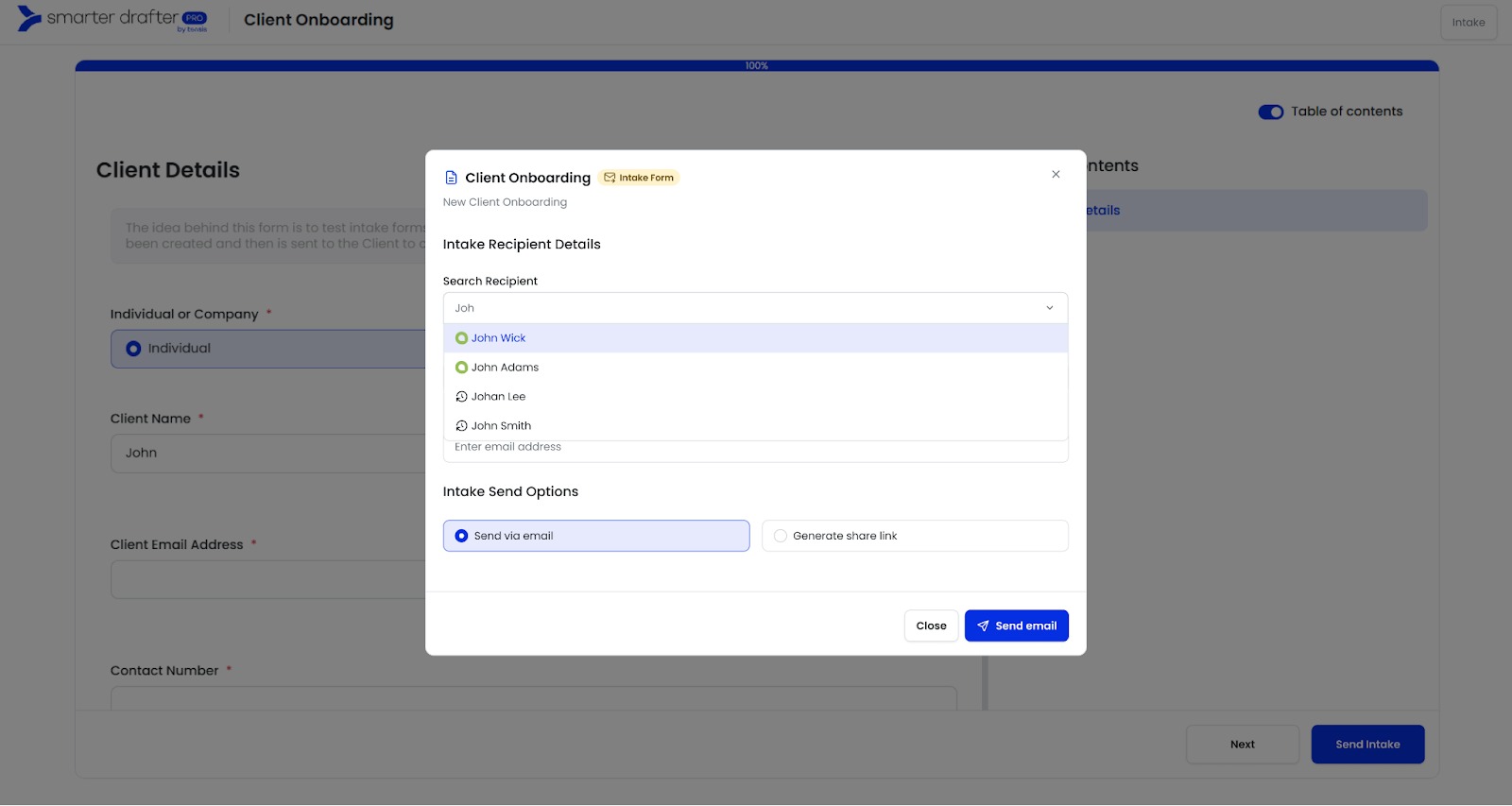
Adding a recipient to an intake form is now faster and more accurate. When entering recipient details, Smarter Drafter will search your existing contacts and matter records, automatically populating the recipient’s given name, surname, and email address where available.
To support this, Administrators will need to configure field alias mapping for first name, last name, and email address. This can now be done in a newly introduced Intake Settings area, making setup clearer and easier to manage.
Intake Settings in One Place
To reduce complexity, we’ve reorganised all intake-related settings into a single area.
You’ll now find Intake Settings under Assets, consolidating everything related to intakes in one location, including:
-
Branding
-
Intake emails
-
Recipient mapping
-
Embed options
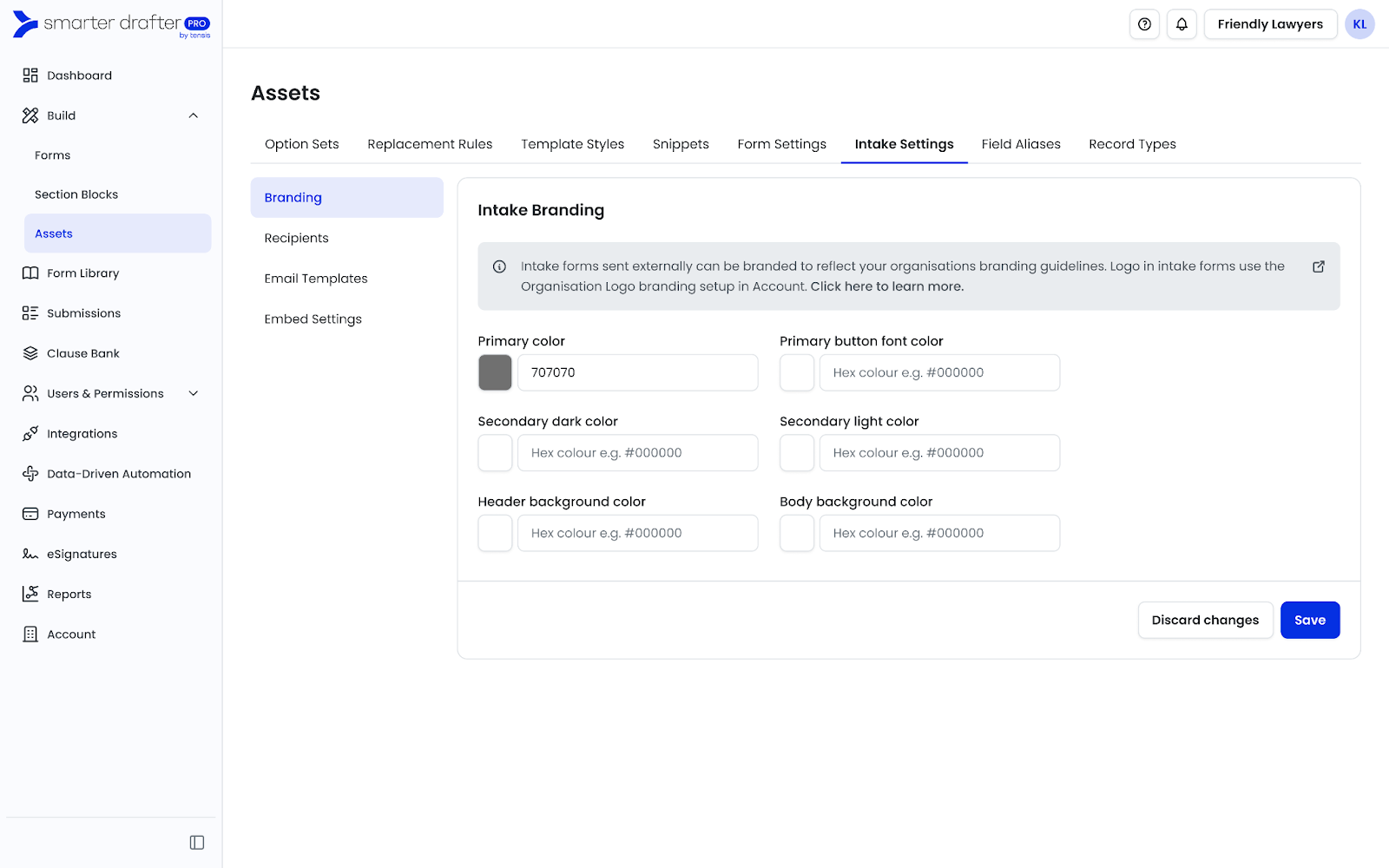
This makes it easier to configure, review, and manage your intake experience without jumping between multiple areas of the platform.
Clearer and Simpler Intake Submissions
Finally, we’re improving how intake submissions appear in the system. Previously, multiple submissions could look identical, creating confusion.
With this update, intake submissions will be simplified and enhanced with clearer status indicators. You’ll now be able to easily see whether a submission is still with the client or has been completed by the client, giving you better visibility and confidence when tracking progress.
What to Expect Next
These changes will roll out with releases in late January and February.
As always, these updates are part of our ongoing commitment to improving security, usability, and efficiency across Smarter Drafter Pro.